Built for Shippers
From sales order to final delivery, SHIPX provides full visibility and automation to streamline your last-mile operations — for national or local distributors and manufacturers.
Book a DemoB2B Delivery Challenges
"I want to enhance my last-mile delivery operations."
Logistics Solution for Shippers
SHIPX is a secure, scalable, multi-language cloud SaaS platform available from anywhere. Regardless the size of your organization, SHIPX provides tools for operational logistics efficiencies.
SHIPX streamlines your processes with full visibility and automation, providing a rapid ROI. Your logistics team will focus on exceptions and quality service instead of repetitive unproductive work.
- Improve Customer Service
- Reduce Manual Errors & Costs
- Real-time Delivery Visibility
- Automate Routing & Dispatch
- Manage own fleet & 3PL carriers
- Integrate with your ERP or WMS
- Perfect for Distributors & Manufacturers
Seamless Data Flow
ERP & WMS Integration
SHIPX integrates directly with your ERP, eCommerce platform or WMS for seamless operations. Sales orders ready to ship can load automatically into SHIPX for automatic dispatching — eliminating manual data entry.
- Direct ERP & WMS integration
- Automatic order import & dispatching
- Real-time notifications to logistics & sales
- Customer service access to delivery data
- Connects fulfillment centers to final delivery
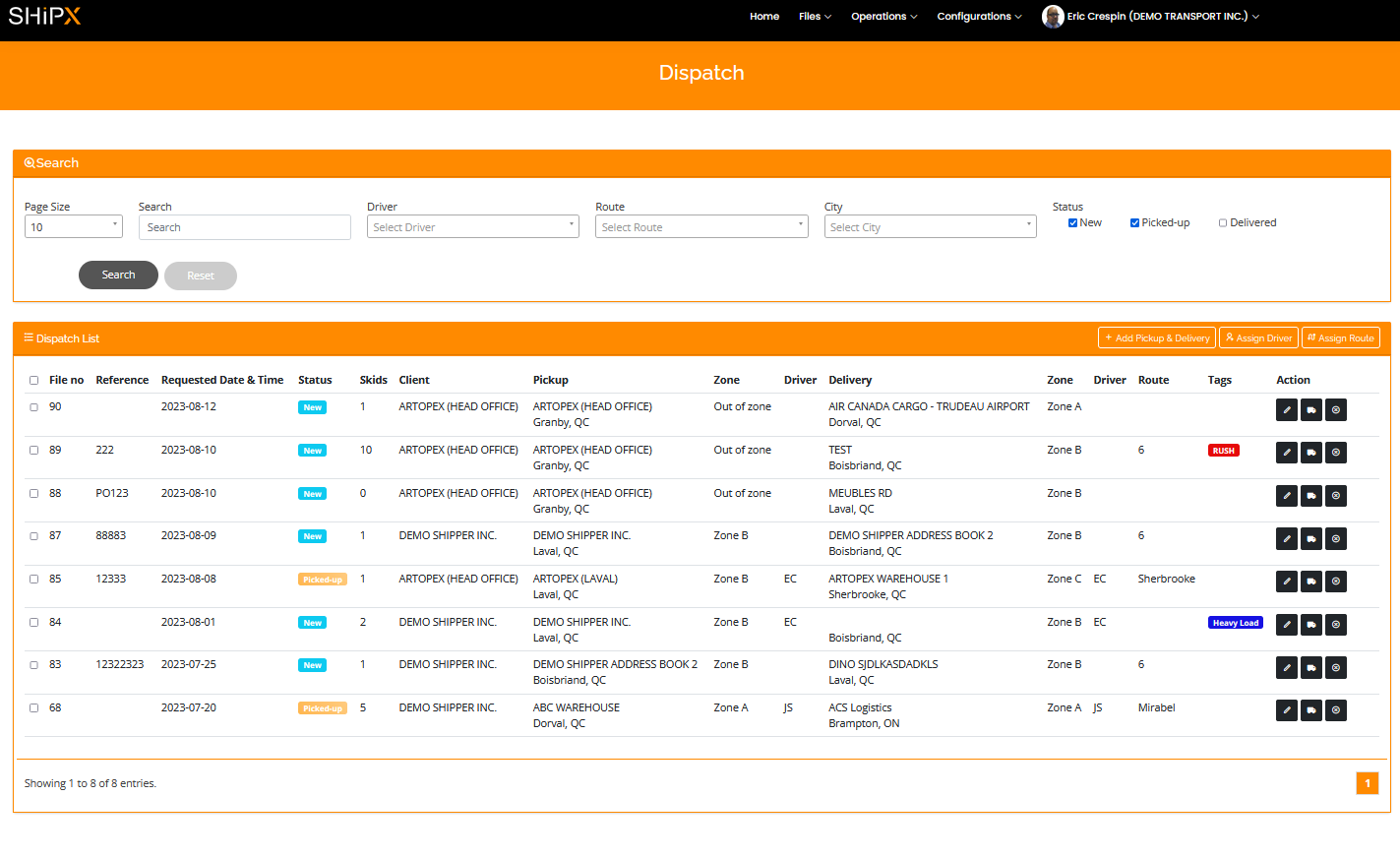
Flexible Dispatch
SHIPX provides your team with a centralized system for routing and dispatching orders, regardless of the transportation mode — in-house fleet or 3PL carriers. SHIPX makes dispatching easy.
- Automatic routing by city, zip or address
- Your fleet and 3PL carriers from one interface
- Customizable milestones & alerts
- BOL printing with QR codes
- Track & Trace by multiple criteria
- Dangerous Goods management & declarations
- Line-Haul consolidation & deconsolidation

Visual Dispatching & Route Optimization
Get a live overview of every driver's workload. Reassign orders and resequence stops with simple drag-and-drop — no phone calls required.
- Visual overview of drivers / carriers workload
- Drag & drop order reassignment
- Delivery sequence control
- Google Route Optimization integration
- Loading plan for drivers
- Print manifests, labels, DG declarations, carrier instructions
Multi-Hub Routing
Multi-Hub Cross-Dock Operations
If your organization delivers from multiple fulfillment centers using transport hubs, SHIPX multi-hub capabilities have you covered.
As soon as an order leaves the origin warehouse, the full routing between transport hubs is assigned. Deliveries are automatically routed through the proper path to final delivery.
- Multiple fulfillment centers & transport hubs
- Automatic full routing at order creation
- Automatic line-haul manifest generation
- Cross-dock operation management
- Real-time visibility across all legs
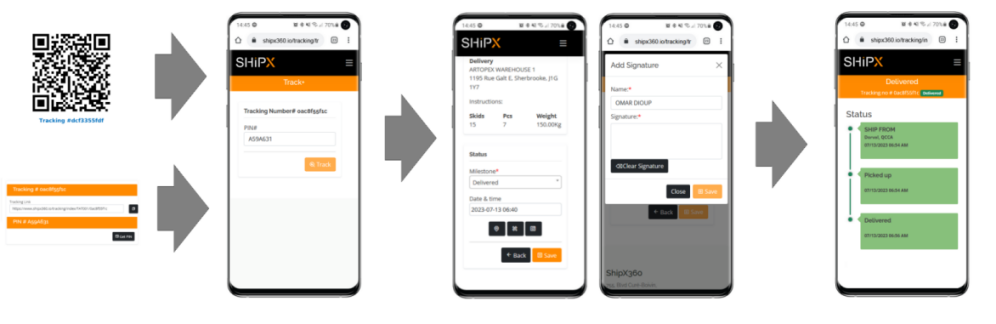
Scan to Track!
Perfect solution when using 3rd party carriers — no app installation needed on their phone.
- 1 — Driver scans the QR code on the BOL
- 2 — System provides a PIN to the carrier
- 3 — Driver enters status, signature, photos
- 4 — POD is done!
No application to install. Quickly done on the fly. Ideal for ad-hoc and occasional carriers.
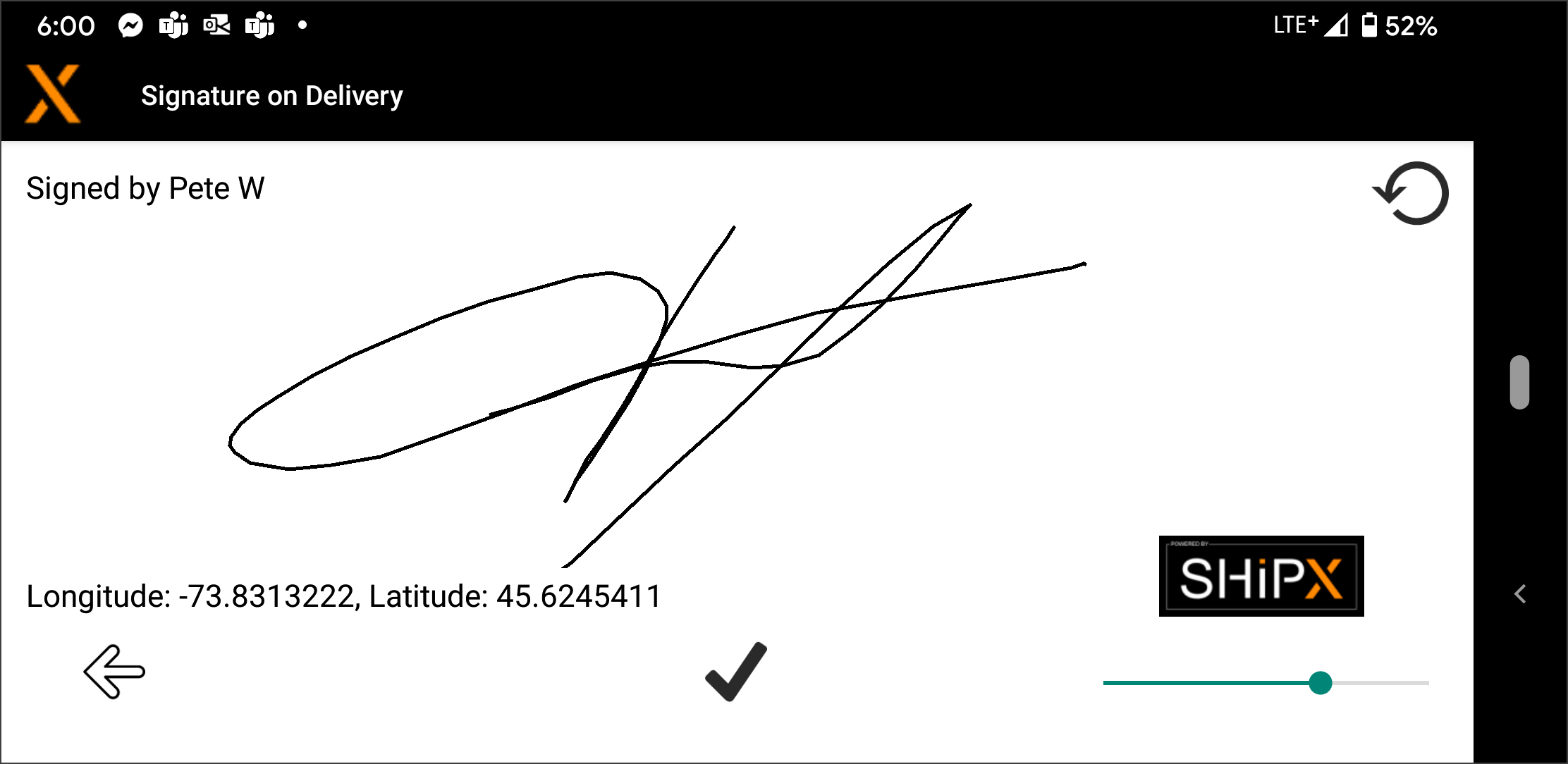
Manage Your Own Fleet
SHIPX provides all tools for dispatching and managing drivers. With its easy-to-use mobile application, drivers are integrated in real time with your operations.
- Real-time visibility
- Native iOS & Android app
- Mobile web app (no install required)
- Proof of delivery (POD)
- Electronic signature & photos
- Special instructions & appointments
- Geolocation

Find Carriers. Compare Rates. Choose Your Service.
Every outgoing shipment is a choice: which carrier, which service, at what price. SHIPX brings connected rates and your own carrier knowledge onto one screen.
- Request live rates from the carriers and rate services you are connected to
- Compare services, prices and expected delivery dates side by side
- See the full charge breakdown — freight, fuel, accessorials, surcharges and taxes
- Check the negotiated rates held on your own carrier records
- See who already moved this lane, and what they quoted and charged
- Reach beyond your own list through the ShipXZone directory
- Send spot quote requests and compare the answers side by side
Rates come from direct carrier connections and from multi-carrier services, so the services, charges and dates you see are the ones each provider returns. Available once your carrier connections are configured.
From Selection to Pickup
Choosing the carrier is half the job. SHIPX carries the decision straight through to instructions and paperwork.
Book the Carrier You Picked
Once you have chosen a transportation partner, the booking, the instructions and the Bill of Lading follow from the same screen.
- Keep agreed rates and coverage on each carrier record
- Send spot quote requests by email in a few clicks
- Carriers submit quotes via a simple web link
- Side-by-side quote comparison
- One-click carrier instructions with BOL
- API integration for automated carriers
- The selected carrier's own label, returned with the booking as PDF or ZPL — no second portal to log into
- SHIPX pallet and piece labels with barcode, tracking QR code, addresses and handling instructions

Flexible Milestones
Define your own control points based on your business requirements.
Track Everything!
With SHIPX, track shipments, material movements, services, and more in real time using mobile phones or handheld scanners.
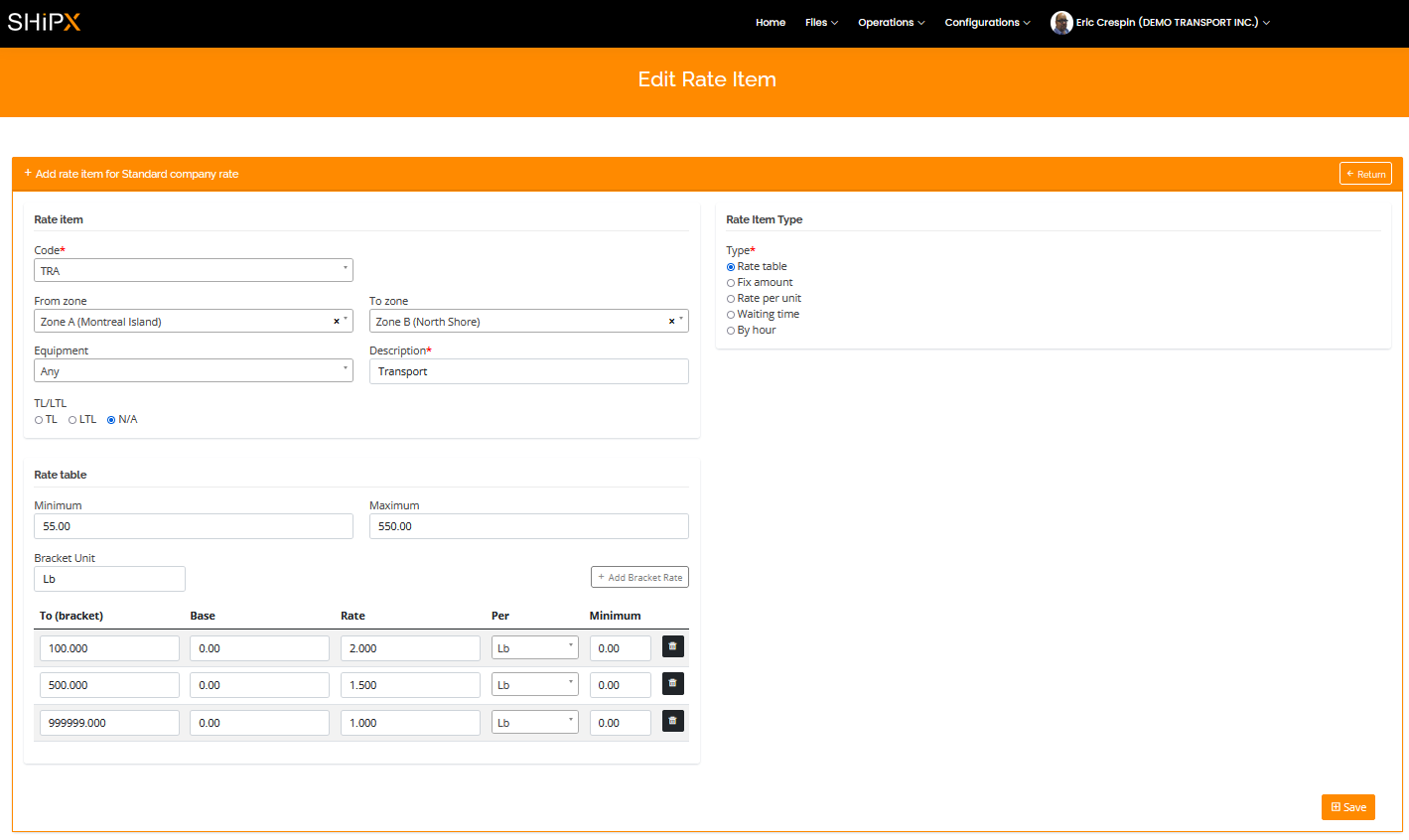
Visibility & Collaboration
With SHIPX, everyone in your organization — as well as your clients — collaborates and shares information through your organization portal.
- Logistics team — full access to all deliveries
- Account reps — access to their own clients
- Clients — online access to their deliveries 24/7
- Warehouses — access by fulfillment location
- Customizable portal with your branding
- Automatic email notifications per milestone

Catch the Delivery Problem Before Your Customer Does
Your customers judge you on deliveries you often do not make yourself. Ask the Control Tower to review what is in motion, by road, air or ocean, and it comes back with the exceptions and which ones to chase first.
- Spot shipments running late before the customer calls
- Catch deliveries closed without a signed proof of delivery
- Where you run air and ocean files, find departures and arrivals that are still not confirmed
- Flag shipments whose cost has run past what you billed, for users with accounting access
- Open any file from the list and work in priority order
Each review runs when you ask for it and ends with a summary, a prioritized list and recommended actions — the kind of answer you want before a customer calls to ask where their order is. Insights respect each user's operational and accounting permissions. Requires AI integration to be enabled.
 How It Works
Carrier Invoices That Enter Themselves
Freight bills arrive in every format imaginable and all of them get typed in by hand. Attach the PDF and let AI pull the details out for you.
- Carrier, invoice number and dates captured from the document
- Amounts and taxes extracted, ready for review
- Bill of lading, booking and container references picked up automatically
- Scanned freight bills read as easily as digital ones
- Less keying, fewer typos, faster turnaround on carrier bills
Extracted details are placed in the invoice for you to review and correct before saving.

How a Document Moves
From Incoming Emails to Organized Shipment Documents
Bills of lading, delivery records and carrier invoices arrive by email all day, to whoever happens to be on the thread. SHIPX gives them one place to land, a way to identify them, and queues that keep the work moving.
- Receive documents as email attachments at a dedicated address, or upload them yourself
- Ask AI to read a document and suggest its type and the shipment it belongs to
- Sort documents into queues — delivery records, carrier invoices, customs papers and more
- Attach a delivery record to its shipment once you have confirmed the match
- Prepare a draft carrier invoice from a document in the invoice queue
- See what needs a person: references that did not match, and processing errors
- Keep every document on the shipment, customer or invoice it belongs to
Nothing is filed behind your back — a document moves when someone confirms it. When a customer asks about an order from six weeks ago, the answer is on the shipment.

Ready to see SHIPX in action?
Book a personalized demo with our team and see how SHIPX can transform your delivery operations.
Book a Demo